Electricity and Electronics
S2 lessons on static electricity, current, circuit diagrams, electronic systems, input and output devices and logic gates. Choose a lesson to open it.
Lesson 1 - Static Electricity
Learning Intentions
- know the two types of electric charge.
- know that like charges repel each other.
- know that unlike charges attract each other.
History of Electricity
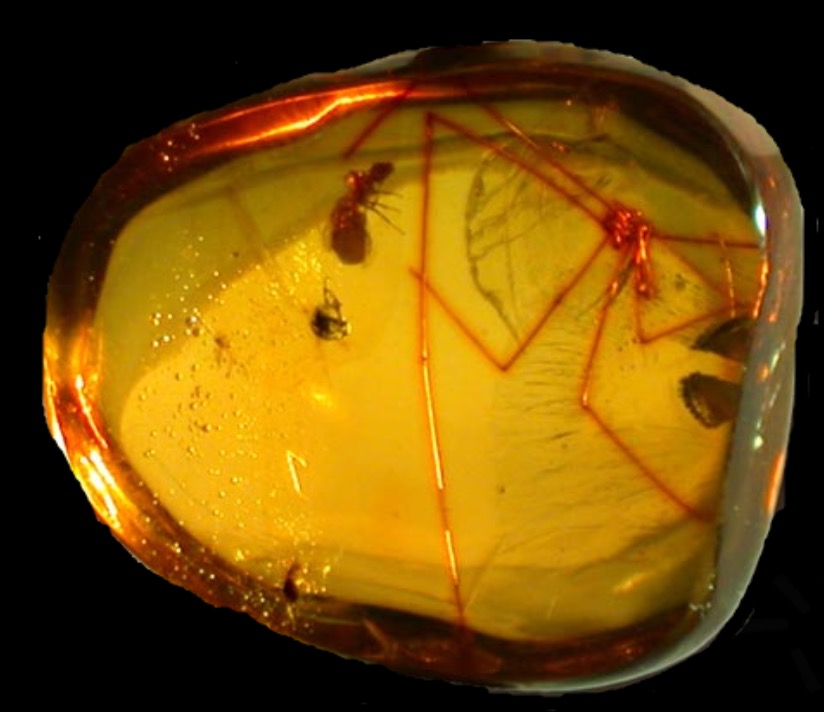
It is thought that the Greeks were the first to investigate electricity. The philosopher Thales of Miletus noted around 600 BC that pieces of amber could attract light objects after being rubbed. The word electricity itself comes from elektron, the Greek word for amber.
Watch the video below on static electricity.
Activity - Static Electricity
Activity 1: Rod and Water
Collect:
- A polythene rod
- A duster
Rub one end of the rod with the duster and hold it close to a thin stream of water.
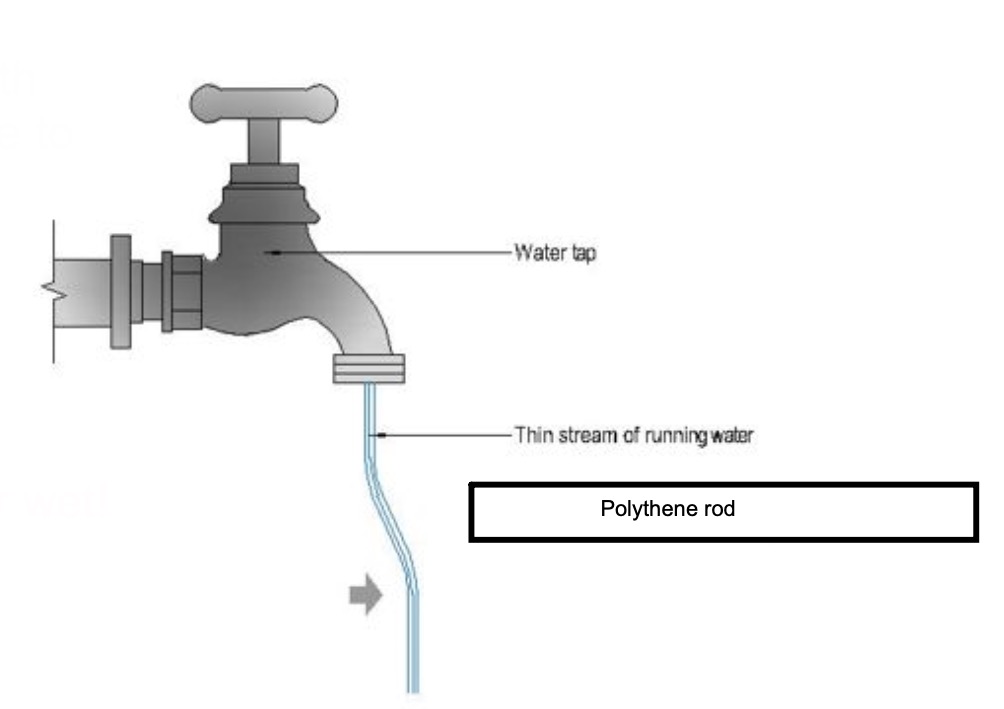
Don't get the rod or duster wet!
Activity 2: Rod and Paper
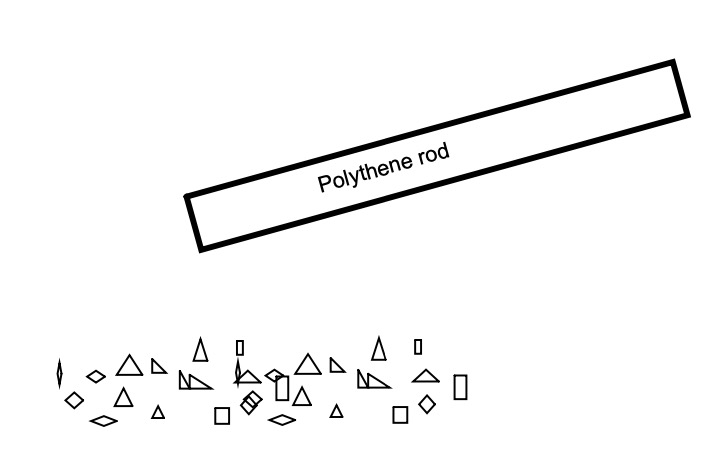
Rub one end of the rod with the duster and hold it close to small bits of cut up paper.
Activity 3: Rods and Watch Glass
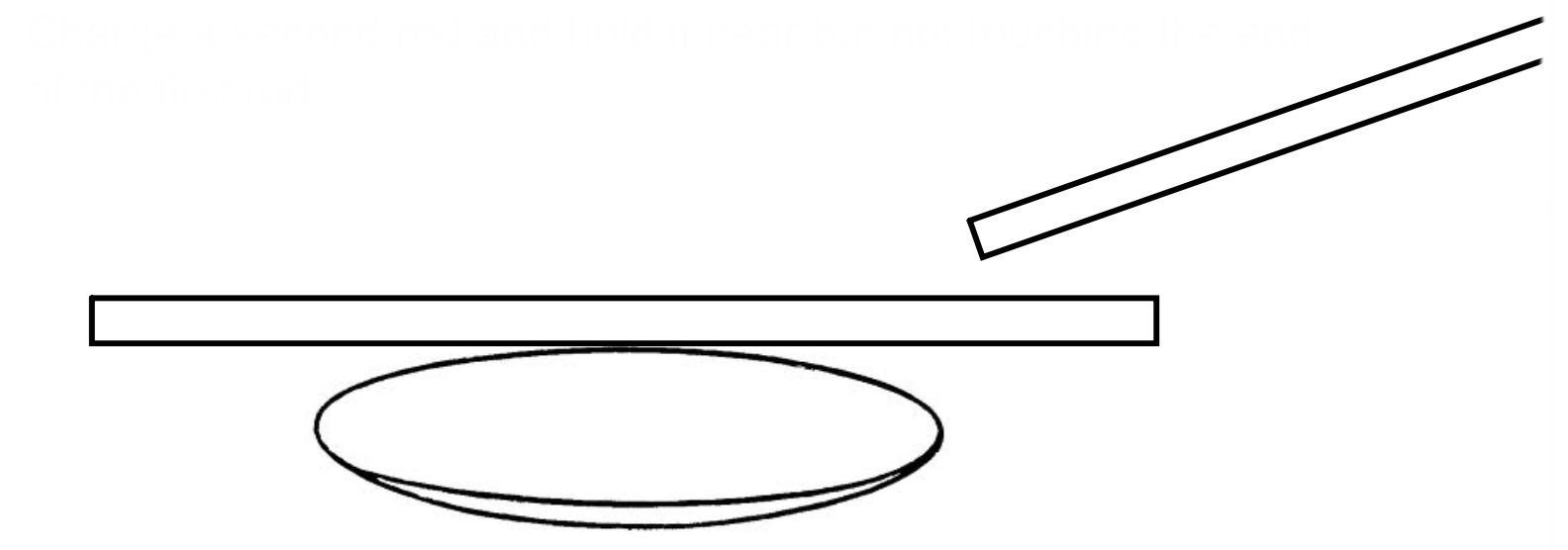
Take a rod and charge it well by rubbing with a cloth. Place it carefully on top of a watch glass being careful not to touch the table.
Charge a second rod and hold it near but not touching the end of the first rod.
Activity 4: Balloon and Aluminium Can
Charge up a balloon by rubbing it. Hold it near but not touching the aluminium can.

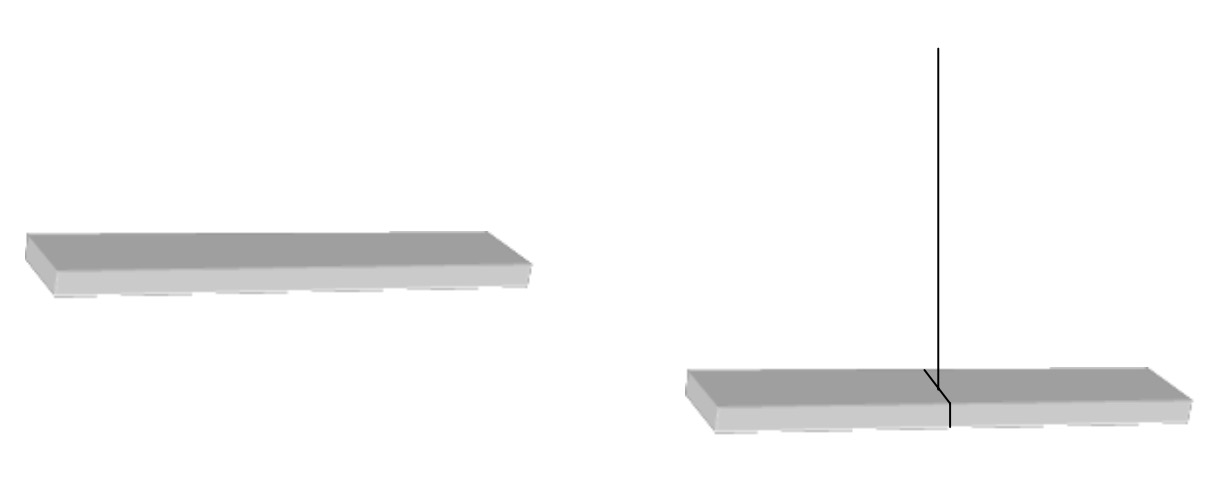
Activity 5: Suspended Rods
Collect two polythene rods (white) and two acetate rods (clear).
Pick two rods and rub both ends.
Suspend one by a thread (or use a watch glass), and bring the other close to it.
Try different combinations of rods.
Notes - Electrical Charges
Electric charges come in two types: n______ and p_______.
Charges of the same type will r____ each other.
Charges of different type will a______ each other.
Lesson 2 - Moving Charge
Learning Intentions
- I will be able to explain what is meant by electric current.
Activity - Van de Graaff Generator
Watch the video below on the Van de Graaff generator.
- Why did Bill's hair stand up?
- How do you know electricity can travel through people?
- Why do you think Bill's hair stood on end?
Notes - The Van de Graaff Generator
When electric charge moves, we call it a c______.
Charge moves easily in materials made from m____.
We call these materials c_________.
Charge cannot move in materials like p______ and g____.
We call these materials i_________.
Lesson 3 - Circuit Symbols and Diagrams
Learning Intentions
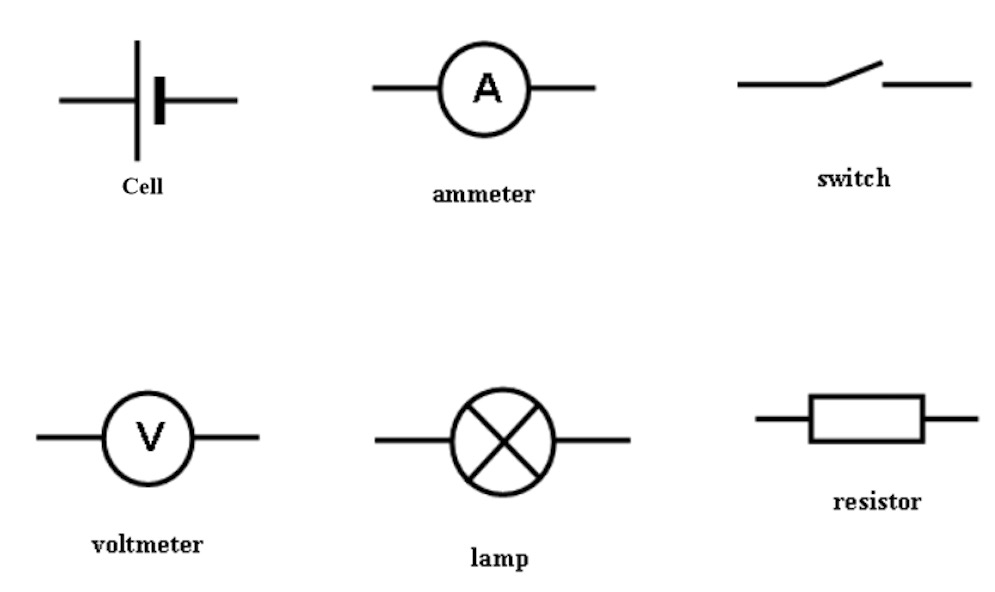
- Draw circuit symbols for: a cell, a lamp, a switch, an ammeter, a voltmeter.
- Know the rules for drawing circuit diagrams.
- Successfully draw circuit diagrams.

Notes - Circuit Symbols
Copy and label the following symbols below.
Activity - Making a Circuit
The video below shows you how to make a simple circuit using the PhET circuit construction kit.
Use the circuit simulation kit to make a simple circuit.
Open the circuit simulation full screen (easier on a phone).
Notes - Rules for Drawing Circuits
- Always use a ruler.
- Make wires straight with right angles.
- Make sure wires touch components.
- Never put components at corners.
Activity - Drawing a Circuit
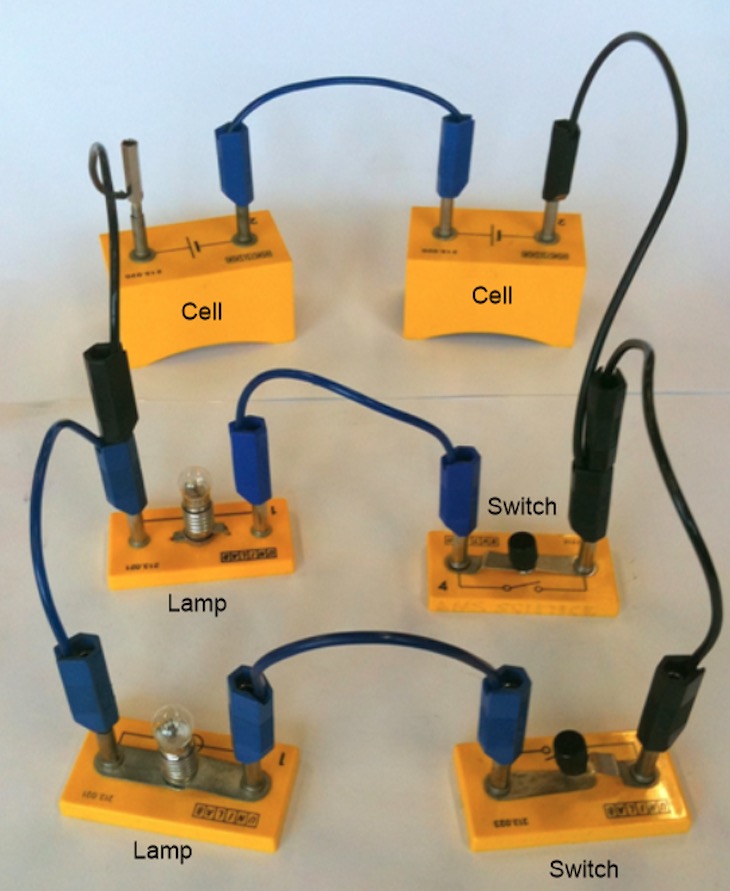
Draw circuit diagrams for the three circuits below. Remember to use the rules for drawing circuits.
Circuit 1

Circuit 2
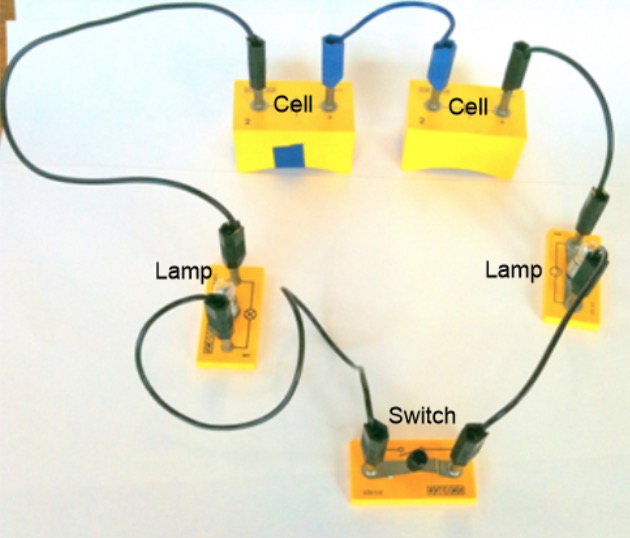
Circuit 3
Lesson 11 - Electronics: Input, Process and Output
Learning Intentions
- Know that an electronic system consists of: input, process and output.
- Identify the input, process and output from a block diagram.
- Identify input devices from a list.
Notes - Electronic Systems
Every electronic system has three main sections.
These are called the input, the process and the output.
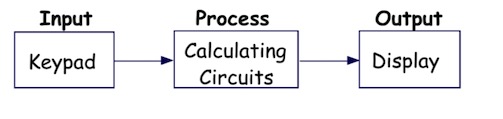
This is the block diagram for a calculator.
Activity 1: Microphone
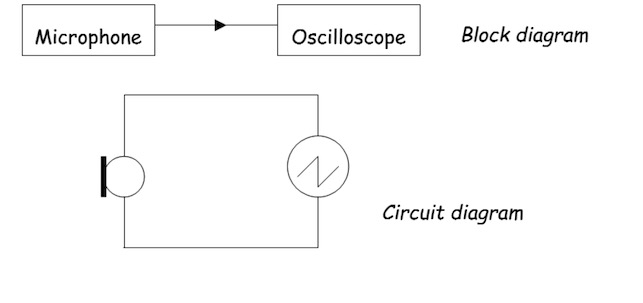
Watch the video below. Use it to help you answer the questions:
1. What energy change takes place in a microphone?
2. Is the microphone an input or an output device?
Activity 2: Thermistor
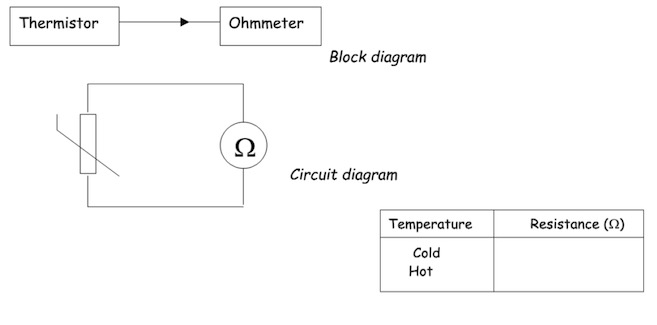
Watch the video below. Use it to answer the questions:
1. What happens to the resistance as the temperature of a thermistor goes up?
2. Is the thermistor an input or an output device?
Activity 3: Light Dependent Resistor
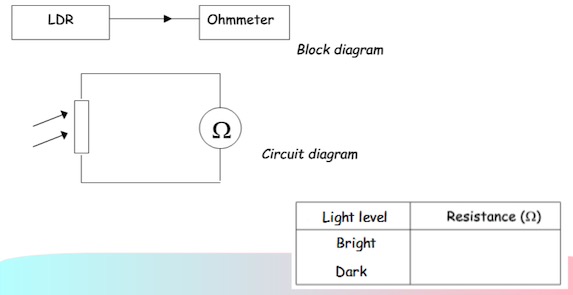
Watch the video below. Use it to answer the questions:
1. What happens to the resistance as the light level on an LDR goes up?
2. Is the LDR an input or an output device?
Activity 4: The Switch
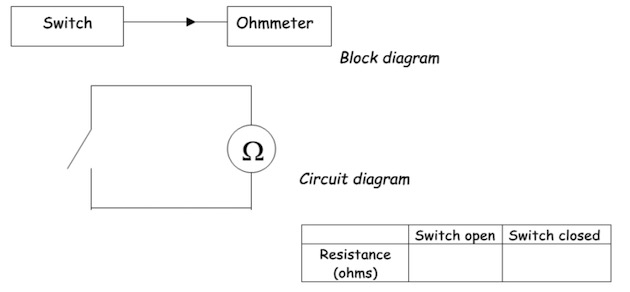
Watch the video below. Use it to answer the questions:
1. What happens to the resistance of the switch when it is closed?
2. What effect does the switch have on the current in a circuit?
3. Is the switch an input or an output device?
Lesson 12 - Electronics: Output Devices
Learning Intentions
- State the energy change in a: lamp, loudspeaker, buzzer, LED and motor.
- Identify an output device from a list.
Notes - Output Devices
All output devices change electrical energy to another kind of energy.
E.g. A lamp:
Changes electrical energy into light and heat energy.
Activity 5: The Loudspeaker
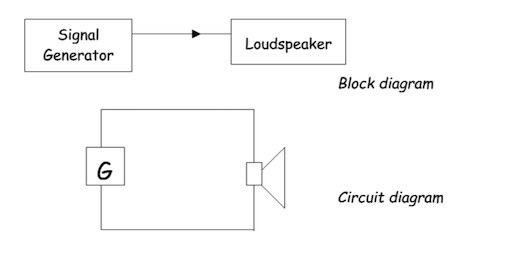
Watch the video below. Answer the following questions:
1. What is the energy change in the loudspeaker?
2. Is the loudspeaker an input or an output device?
Activity 6: The Buzzer
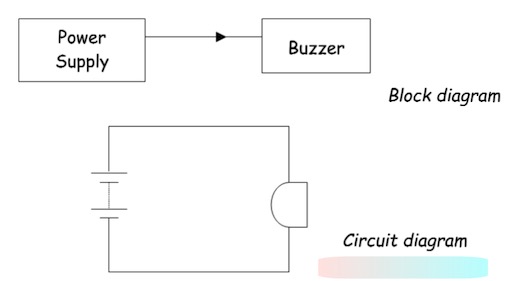
Watch the video below. Answer the following questions:
1. What is the energy change in the buzzer?
2. Is the buzzer an input or an output device?
Activity 7: The Lamp
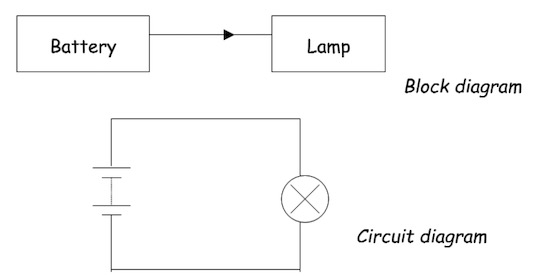
Watch the video below. Answer the following questions:
1. What is the energy change in the lamp?
2. Is the lamp an input or an output device?
Activity 8: The Light Emitting Diode (LED)
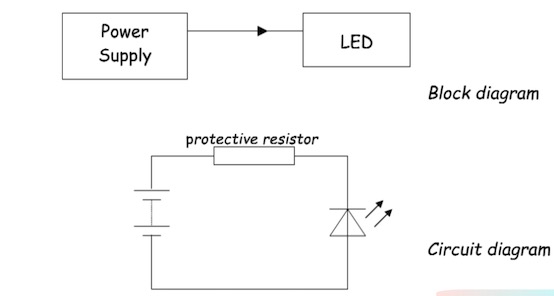
Watch the video below. Answer the following questions:
1. What is the energy change in the LED?
2. Is the LED an input or an output device?
Activity 9: The Motor
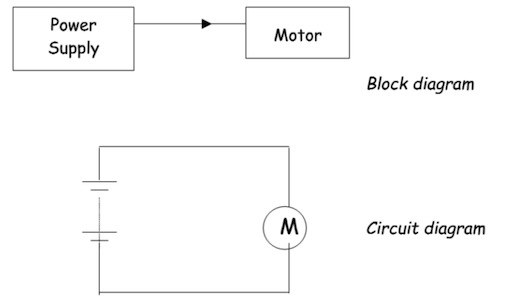
Watch the video below. Answer the following questions:
1. What is the energy change in the motor?
2. Is the motor an input or an output device?
Lesson 13 - Logic Gates (Process)
Learning Intentions
- Draw and identify the symbols for AND, OR and NOT gates.
- State the output of AND, OR and NOT gates for any combination of inputs.
Notes - Logic Gates
Logic gates are used to combine or change electronic signals.
There are three basic types of logic gate called:
- NOT
- AND
- OR (with all-capital letters)
Components can be on or off:
off - logic 0
on - logic 1
Activity 11: The NOT gate
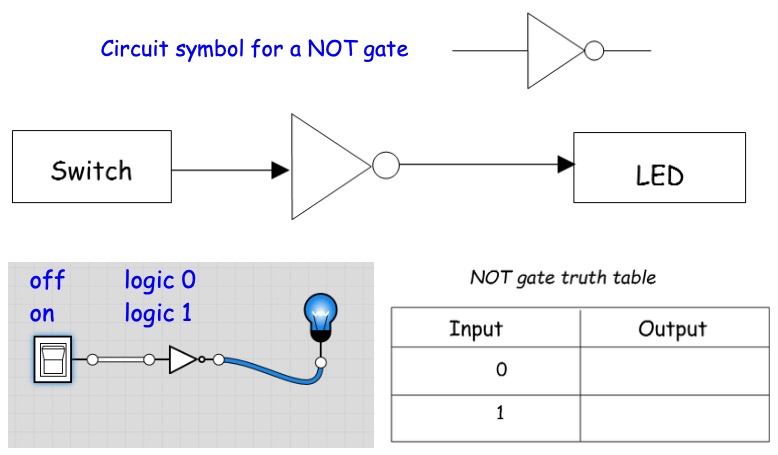
Use the video below to fill in the truth table for the NOT gate.
Activity 12: The AND gate

Use the video below to fill in the truth table for the AND gate.
Activity 13: The OR gate
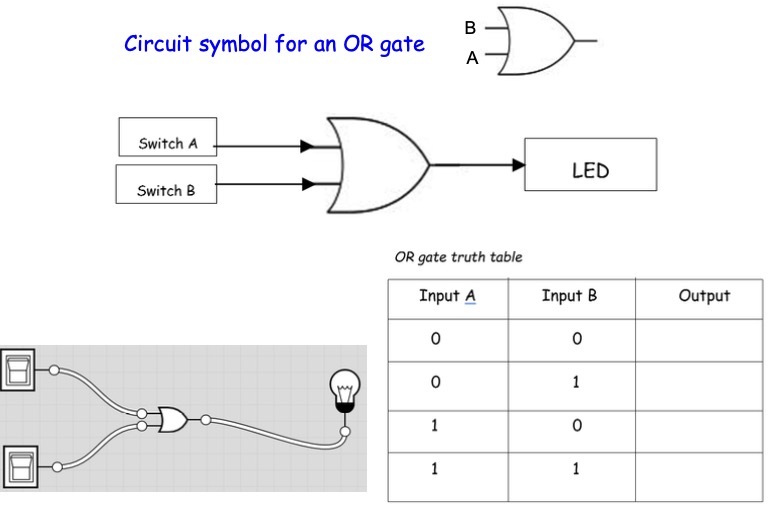
Use the video below to fill in the truth table for the OR gate.